Get started with PriceLabs now!
Want to learn what PriceLabs can do for you? See for yourself with a free trial. Get started now!
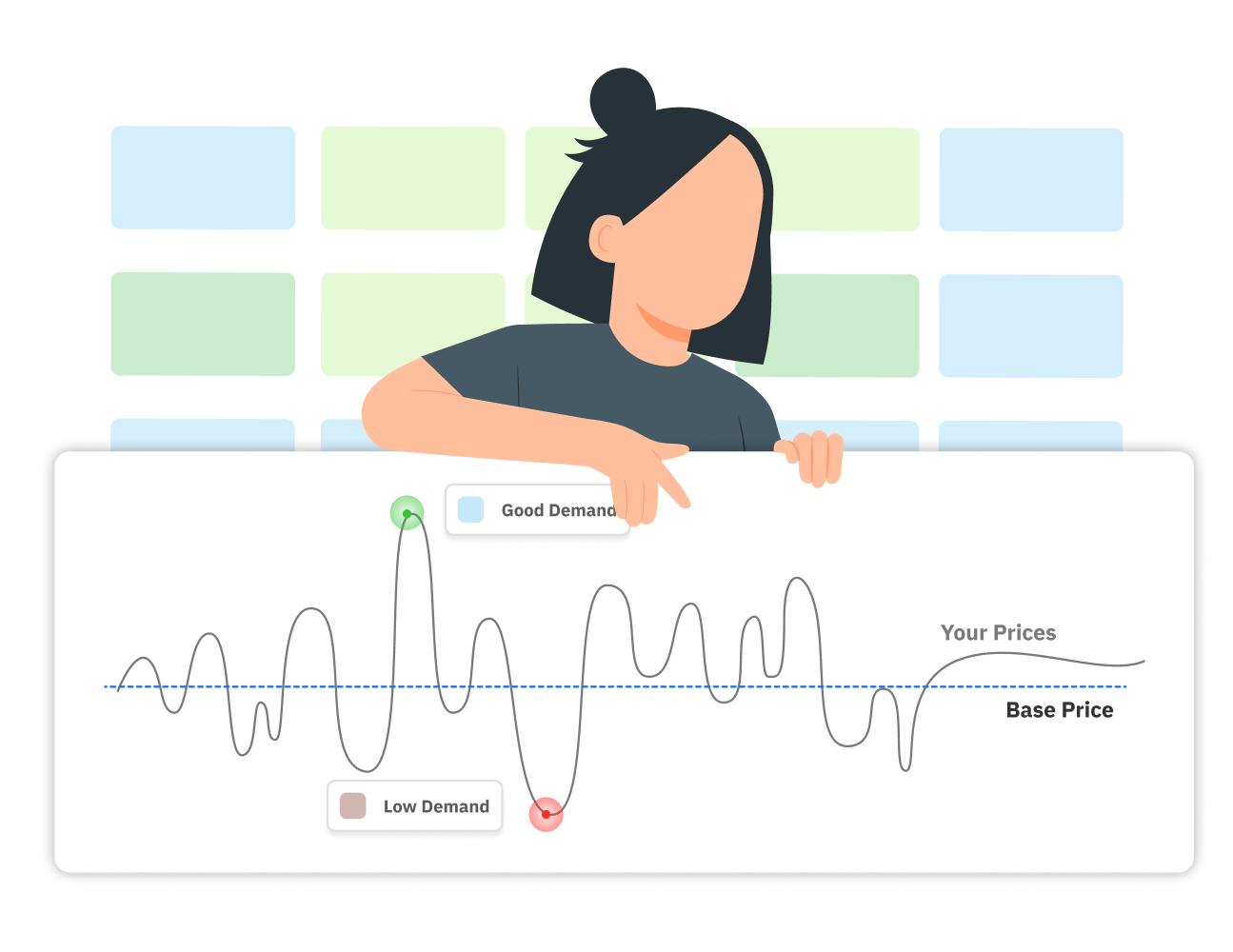
A vacation rental base price is the average nightly rate you would charge across the whole year, before adjustments for season, demand, and events. It sits between your peak rate and your floor. Dynamic pricing applies every adjustment as a percentage on top of it, so a base price that is off skews every rate that follows.
Getting it right takes market data, your own booking history, and a clear view of your costs. It is the starting point for dynamic pricing for vacation rentals, and the rest of your pricing strategy builds on it.
Your base price reflects the overall value of your listing: location, size, quality, amenities, and reviews. A luxury two-bedroom with high-end finishes should carry a higher base price than a basic two-bedroom in the same neighborhood, because guests will pay more for the better experience.
It helps to separate four numbers that are easy to confuse:
You set all three prices together when you set up dynamic pricing, and the nightly rate follows from them.
Unlike hotel rooms, which are fairly uniform within a market, every rental is different. Your base price has to be built for your specific listing, not borrowed from the market average.
Set your base price from several inputs, and treat each one as a check on the others.
Find listings similar to yours in location, size, property type, and amenities, and compare their average daily rates (ADR) on Airbnb, Vrbo, and Booking.com. Aim for at least 30 comparable listings so that a few outliers do not distort the picture.
Keep the market as local as you can. A unit in Queens prices differently from one in Manhattan, and distance to transport and attractions changes value. City-level figures such as average Airbnb prices give you a rough range, but only close comparables show where your listing fits.
A competitive analysis works the same way whether you do it by hand or with software. A comp set built from truly comparable listings is the benchmark everything else is measured against, and PriceLabs Market Dashboards show how listings in your area perform on occupancy, ADR, and booking pace.
If you have hosted for a while, look at your listing's average daily rate, occupancy, and performance across seasons. Portfolio Analytics puts that history in one place, so you can see how your past base price actually performed.
If you manage several properties, look at listings with similar amenities in the same area. Rates vary widely from market to market, so only compare properties that share a location.
Market data cannot measure the floor you are on, the view, or the quality of your furniture and design. If your property clearly offers more than comparable listings, price above the market middle. If it offers less, price below. Your reviews and ratings also shape what guests will pay, so factor them in honestly.
If you enter a custom base price, do not include taxes, because the platform adds them on top and including them inflates your rate. Think through your fees as well: the Airbnb service fee model you are on and any PMS markup change what you keep from each booking, and they affect how your price compares with competitors.
Costs belong in your minimum price, not in your base price. Add up cleaning, maintenance, platform fees, and software or management fees, and make sure your minimum nightly rate covers them. Shorter stays raise cleaning and turnover costs, and a well-set cleaning fee can offset them.
Here is how those steps fit together for a hypothetical two-bedroom condo. The figures are illustrative, so swap in your own market data. The same logic applies whenever you are pricing your vacation rental against its comp set.
If the condo were brand new, you would start a little below $210 and raise it as reviews and bookings build.
A new listing has no booking history and no reviews, and guests weigh reviews heavily when they choose where to stay. If you price at the level of established competitors, you will likely lose bookings and slow the early momentum a new listing gets.
Treat your calculated base price as the target average once the new listing is established, and start a little lower. Watch booking pace, and raise the price gradually as reviews and occupancy build. The early bookings earn you reviews that justify higher rates later.
PriceLabs Dynamic Pricing needs a base price to generate recommendations, and the Base Price Help tool is built to give you a data-backed starting point. Open your Pricing Dashboard, go to Review Prices, and choose "Help me choose a base price." Then pick the option that fits your situation:
Start within the 25th to 75th percentile of the local market, depending on how your listing compares. The Market-Driven view marks those percentiles for you. Before you save, check the graph of projected prices across the year to see how high and low seasons look.
Set your minimum and maximum price at the same time. If you leave them blank, PriceLabs applies safety limits of 30% of your base price as the floor and 10 times your base price as the ceiling. Those are guardrails, not targets, and our first-time setup guide walks through all three settings.
PriceLabs also keeps watching your base price. If it differs from the recommendation by more than 5%, you receive a Base Price Nudge. Nudges never apply on their own, so you decide whether to accept. Listings priced through a custom seasonal profile do not receive Base Price Nudges.
Your base price should stay steady. Seasonal profiles and last-minute and far-out adjustments handle short-term swings on top of it. Revisit the base itself when something real changes:
When you do change it, make small moves of 5 to 10% and wait a couple of weeks so the effect shows up before you adjust again. Review it at least once a quarter, especially in your first months on PriceLabs, and act on nudges in between. Keep your seasonal rates in their own settings instead of changing the base price month by month. Constant manual edits work against the system, which is why dynamic pricing best practices favor setting a strategy and letting it run.
These are among the most frequent vacation rental pricing mistakes:
A drop in occupancy does not always mean the base price is too high. Check three things first:
If your base price has not been reviewed in a while, or a market shift shows up across your comp set, an adjustment is warranted. Otherwise, work on your listing and occupancy rate first, and rule out quality, reviews, and season before lowering your price.
The base price is the yearly average that your pricing adjusts around. The nightly rate is the actual price for a specific night after seasonality, demand, and events are applied.
Review it at least once a quarter, and act on Base Price Nudges between reviews. Change it only when something real shifts, and make adjustments of 5 to 10%.
Yes. Comparable listings are the core of a base price, as long as they match your location, size, property type, and amenities. Aim for at least 30 comparable listings so a few outliers do not skew the result.
Collect ADRs for at least 30 comparable listings and find where the 25th, 50th, and 75th percentiles sit. Place your listing in that range based on its quality, amenities, and reviews. Keep the number before taxes, then confirm your minimum price covers your costs.
Start within the 25th to 75th percentile of the local market. Where you land depends on how your listing compares with similar ones on quality, amenities, and reviews.
Yes. Dynamic pricing adjusts around your base price, and PriceLabs cannot generate accurate recommendations for a listing without one.
Not as a first move. Check your occupancy-based adjustments, listing quality, reviews, and season first. If you do adjust, make a small change and wait to see the effect.
Do not include taxes in a custom base price, because the platform adds them. Keep your platform fees and any PMS markup in mind, since they change what you keep and how your total price compares.
Start a little below the target you calculated, and use the Market-Driven option if you are unsure where to begin. Raise the price gradually as reviews and occupancy build.
Want to learn what PriceLabs can do for you? See for yourself with a free trial. Get started now!